
Three Way Calls
The ability to add a third person to an established call is called a three way
calls. This can also be referred to as a conference call.

If more than three people are needed on a conference call,
we have a dedicated conferencing service available that can
meet this requirement.

The create a three way call you will establish the first call, then you will establish
the second call. Once both calls are active they are merged together. Lets walk
through each step!

Establish the first call. This can be someone that has
called you or someone you call. At this point it's just a
regular phone call.
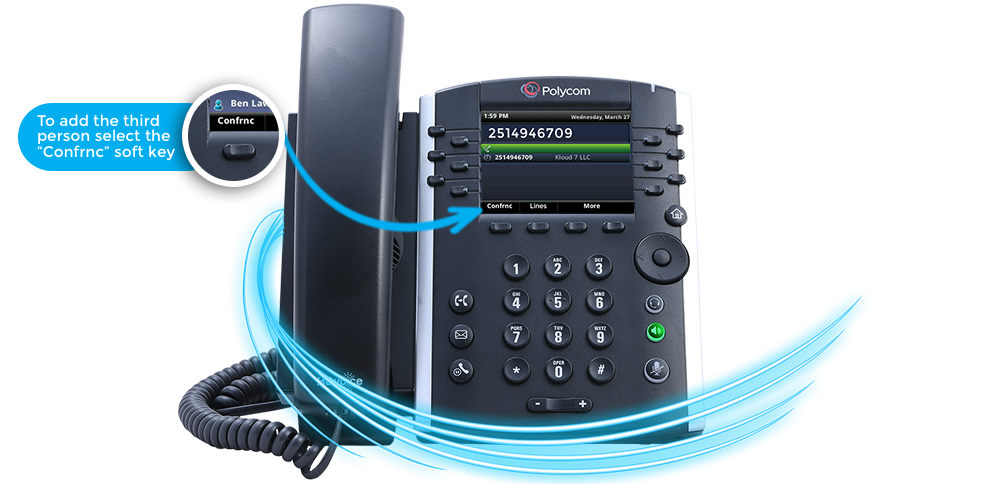
To add the third person to the call, select the “Confrnc”
soft key,if you do not see this key, press the “More” soft
key first.

Enter the extension or phone number of the third
person, then press the “Send” softkey".
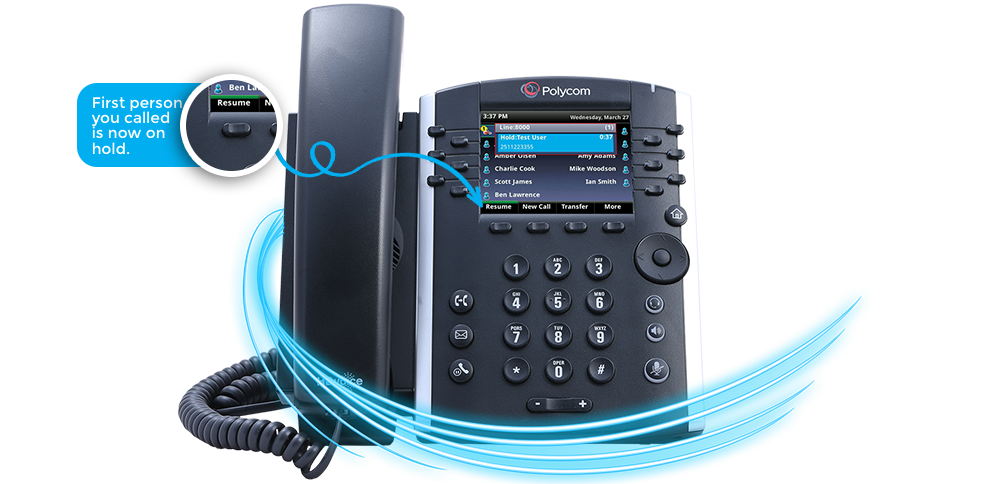
The first person you called is now on hold and you will be connected to the
second person you dialed. This gives you an opportunity to inform the third
person you are about to add them to a conference call.
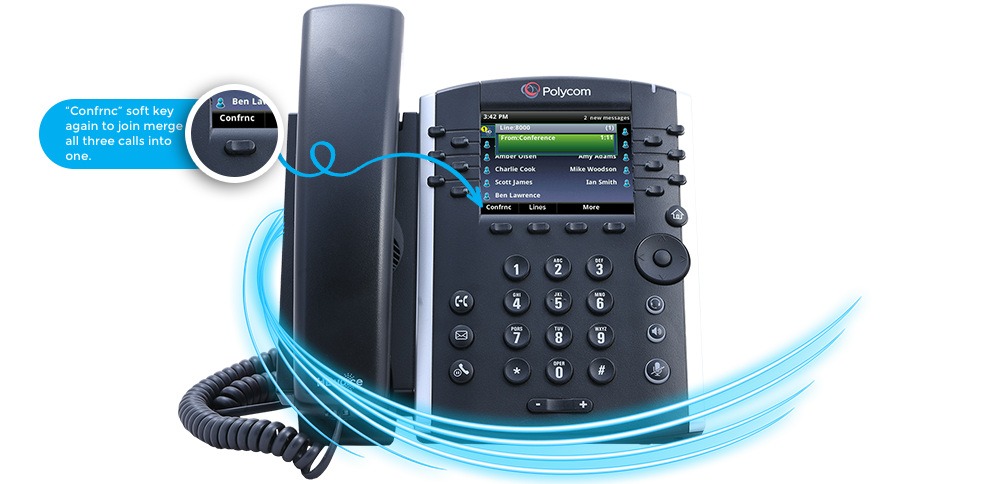
Once the third call is established you will press the
“Confrnc” soft key again to join merge all three calls
into one